


Binance Pay
Instant and free between two Binance accounts. Use crypto you already have.
- Open Binance and tap Pay, then Send.
- Choose Binance ID and paste our ID below.
- Send the exact amount and take a screenshot of the confirmation.
Our ID
353670968Three ways to pay for a Trex subscription or reseller credits. Pick one, follow the steps and send us the screenshot on WhatsApp.
Instant and free between two Binance accounts. Use crypto you already have.
Our ID
353670968
Send USDT from any wallet or exchange over the TRON (TRC20) network.
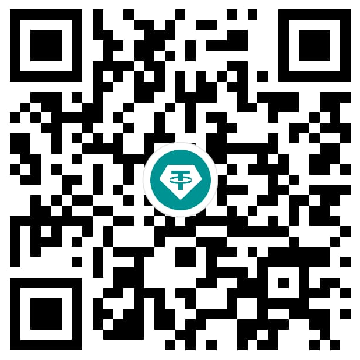
Our address
TUi36Ub2KZXDU23BXc8bKtemr4qe5Dw5Z7
An easy money app: send euros to our Morse username in a few taps.
Our username
@OmartvDownload the Morse app: morsemoney.com/download
Send the payment screenshot in the WhatsApp chat opened by your order. We check it and send your Trex login or credits, normally within 15 minutes.
Binance Pay arrives instantly between Binance accounts. USDT and Morse usually take a few minutes.
No. To protect your data, we only take Binance Pay, USDT (TRC20) and Morse.
Send us the screenshot on WhatsApp. We'll ask for the missing part or refund the extra.
Pick your duration, pay safely and receive your Trex login on WhatsApp a few minutes later.